블로그 약 Guide to Maximizing Projector Brightness for Optimal Viewing

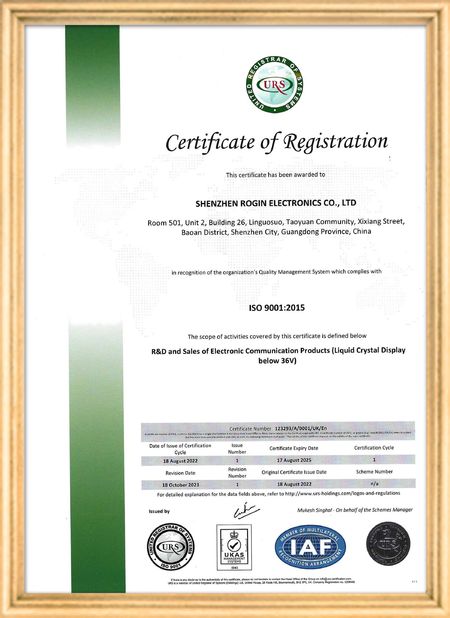
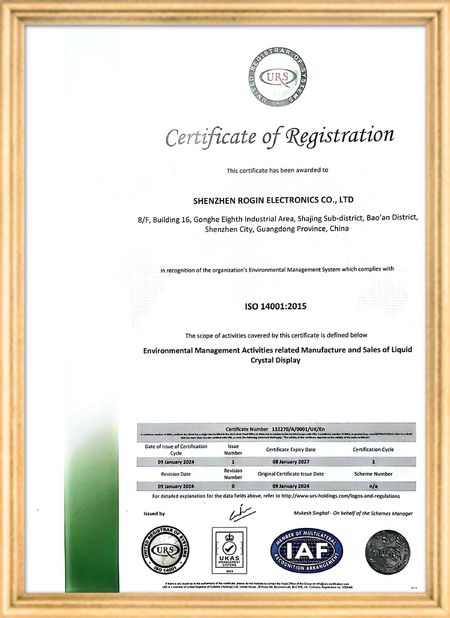
인증
중국 Shenzhen Rogin Electronics Co., Ltd. 인증
고객 검토
이 디스플레이는 전동차에서 완벽하게 작동합니다. 높은 밝기, 반등 방지, 그리고 장기적인 진동에도 안정적입니다. 승객들은 맑은 시야를 좋아합니다.

—— 카스퍼 소렌센

정확한 색상, 빠른 반응, 정상적인 낮은 온도 시작

—— 니콜 베커

쉬운 설치, 넓은 온도 범위, 밝은 환경에서의 뛰어난 가시성. 이 디스플레이는 당사의 모든 산업 장비 요구 사항을 충족합니다.

—— 조반니

이 높은 밝기의 LCD는 산업용 제어판에 적합합니다. 그들은 직접적인 작업실 햇빛 아래에도 결정적으로 맑고 문제없이 24/7 작동합니다..

—— 루카스 뮬러

제가 지금 온라인 채팅 해요
회사 블로그
Guide to Maximizing Projector Brightness for Optimal Viewing
에 대한 최신 회사 뉴스 Guide to Maximizing Projector Brightness for Optimal Viewing

Have you ever experienced the frustration of a carefully planned home theater night ruined by dim projection? Or witnessed a crucial business presentation undermined because your audience couldn't clearly see key data? Projector brightness directly impacts visual quality, making it a critical factor for both entertainment and professional applications. This comprehensive guide examines the elements affecting projector brightness and provides actionable solutions to enhance your viewing experience.

Critical Factors Affecting Projector Brightness
1. Ambient Light: The Primary Adversary

Environmental lighting stands as the foremost factor influencing projector performance. Strong ambient light, particularly direct illumination on the screen, significantly reduces contrast and makes projected content appear washed out. While minimizing indoor lighting helps, modern solutions include high-lumen projectors and specialized ambient light-rejecting screens.

2. Projection Distance: Finding the Optimal Range

Every projector features a specific "throw ratio" determining image size at particular distances. Improper placement—either too close or too far—compromises both brightness and image quality. Always consult your projector's specifications to determine ideal positioning for your room dimensions.

3. Screen Size: The Brightness Distribution Challenge

Larger screens disperse light across greater surface areas, reducing perceived brightness. Select screen sizes compatible with your projector's lumen output (measured in ANSI lumens) to maintain optimal brightness and contrast. Higher lumen ratings generally support larger screens.

4. Lamp Longevity: Understanding Natural Brightness Degradation

All projector light sources—whether traditional lamps, LEDs, or lasers—experience gradual brightness reduction over time. While laser and LED light sources offer extended lifespan compared to conventional lamps, periodic replacement remains essential for maintaining peak performance.

5. Display Technologies: DLP vs. LCD

Different projection technologies present distinct brightness characteristics. LCD projectors typically deliver higher brightness output, while DLP systems often provide superior contrast and color saturation. Consider your primary use case when selecting between technologies.

6. Power Settings: Balancing Efficiency and Performance

Most projectors include eco-modes that reduce power consumption at the expense of brightness output. Disabling these modes can immediately enhance visibility, though with increased energy use and potentially shorter component lifespan.

7. Color Profiles: Customizing Visual Output

Preconfigured display modes ("Vivid," "Cinema," "Presentation") each affect brightness and color balance differently. Vivid modes boost brightness and saturation for impactful visuals, while cinema modes prioritize color accuracy with slightly reduced luminosity.

Practical Techniques to Enhance Projection Brightness
1. Invest in Professional-Grade Screens

Specialized projection surfaces dramatically improve light reflection and image clarity. High-gain screens significantly boost brightness (ideal for smaller spaces), while gray screens enhance contrast in brighter environments.

2. Optimize Lens Configuration

Proper focus and zoom adjustments ensure maximum light efficiency. Eliminate keystone distortion and achieve perfect focus to maintain brightness integrity across the entire projection area.

3. Maintain Optical Components

Dust accumulation on lenses diminishes light transmission. Regularly clean optics using microfiber cloths or approved lens cleaning solutions to preserve brightness levels.

4. Control Environmental Lighting

Implement blackout curtains or window treatments to minimize ambient light interference. For spaces where complete darkness isn't practical, consider high-brightness projectors (3000+ lumens) for satisfactory performance.

5. Disable Power-Saving Features

Temporarily deactivating eco-modes during critical viewing sessions provides immediate brightness improvement, though with increased power consumption.

6. Manual Brightness Calibration

Most projectors allow direct brightness adjustment through menu settings. Moderate increases (typically up to 80% of maximum) can enhance visibility without excessively shortening component lifespan.

7. Ensure Proper Ventilation

Overheating from obstructed vents can trigger automatic brightness reduction. Regularly clean intake and exhaust ports to maintain optimal thermal performance.

8. Timely Lamp Replacement

Follow manufacturer guidelines for light source replacement intervals. Using genuine replacement components ensures consistent brightness performance.

9. Consult Technical Documentation

Manufacturer manuals provide model-specific guidance for brightness optimization, including advanced features like automatic ambient light adjustment.

선술집 시간 : 2026-05-23 00:00:00 >> blog list
연락처 세부 사항
Shenzhen Rogin Electronics Co., Ltd.

담당자: Mr. Kelvin Zhu

전화 번호: +86 15919061504

회사에 직접 문의 보내기 (0 / 3000)