블로그 약 Soundcore Projectors Choosing the Right Resolution for Home or Business

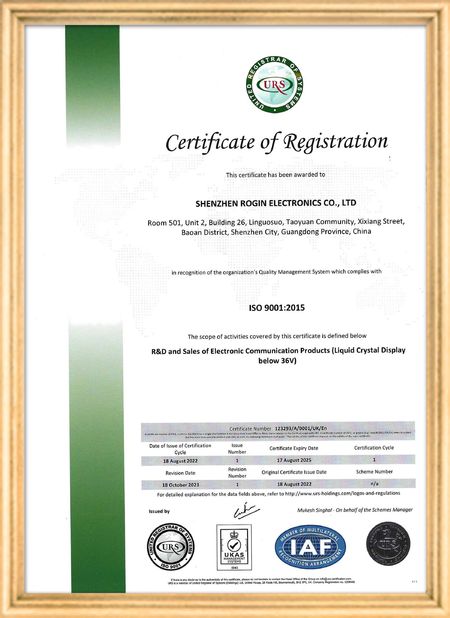
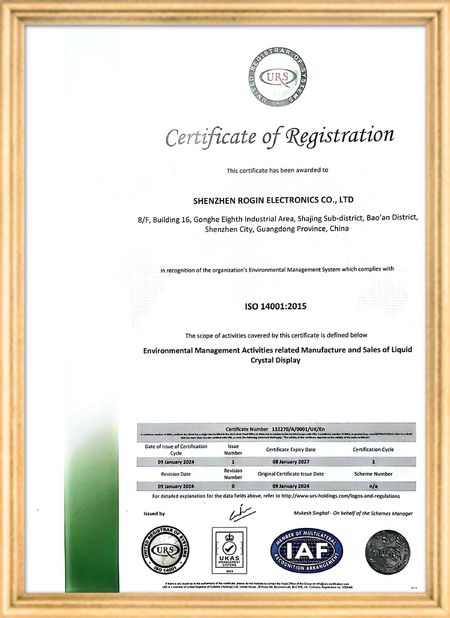
인증
중국 Shenzhen Rogin Electronics Co., Ltd. 인증
고객 검토
이 디스플레이는 전동차에서 완벽하게 작동합니다. 높은 밝기, 반등 방지, 그리고 장기적인 진동에도 안정적입니다. 승객들은 맑은 시야를 좋아합니다.

—— 카스퍼 소렌센

정확한 색상, 빠른 반응, 정상적인 낮은 온도 시작

—— 니콜 베커

쉬운 설치, 넓은 온도 범위, 밝은 환경에서의 뛰어난 가시성. 이 디스플레이는 당사의 모든 산업 장비 요구 사항을 충족합니다.

—— 조반니

이 높은 밝기의 LCD는 산업용 제어판에 적합합니다. 그들은 직접적인 작업실 햇빛 아래에도 결정적으로 맑고 문제없이 24/7 작동합니다..

—— 루카스 뮬러

제가 지금 온라인 채팅 해요
회사 블로그
Soundcore Projectors Choosing the Right Resolution for Home or Business
에 대한 최신 회사 뉴스 Soundcore Projectors Choosing the Right Resolution for Home or Business

Have you ever found yourself overwhelmed by the variety of projectors available, unsure which resolution to choose? Resolution, a seemingly simple parameter, actually determines the clarity, color saturation, and overall viewing experience of the images you see. To help you make an informed decision, we’ve prepared this comprehensive guide to projector resolution. Whether you’re a home theater enthusiast or a business professional, you’ll find the perfect solution for your needs.

Understanding Projector Resolution: A Pixel-Level Breakdown

Projector resolution refers to the number of pixels displayed on the projected image. The more pixels, the richer the details and the sharper the image. Resolution directly impacts image quality and is a key factor in creating an immersive viewing experience.

You may also encounter the term "native resolution," which refers to the physical number of pixels a projector can display. In contrast, "supported resolution" refers to the signal resolution the projector can accept and process. To achieve the best image quality, it’s essential to choose a projector with a native resolution that matches or slightly exceeds your content’s resolution. For example, to play 1080p videos, a projector with native 1080p or higher resolution will deliver optimal visual performance.

Common Projector Resolutions and Their Features
  • 720p (1280x720): An entry-level resolution suitable for users with modest image quality requirements and limited budgets. It performs well on smaller screens and is ideal for streaming videos or basic presentations.
  • 1080p (1920x1080): The most mainstream resolution, also known as Full HD. A 1080p projector delivers sharp, clear images with accurate color reproduction, making it perfect for watching movies, gaming, or business presentations. It offers excellent value for money.
  • 4K (3840x2160): Also called Ultra HD (UHD), this resolution is four times that of 1080p. A 4K projector produces stunning detail and vibrant colors, creating a truly immersive viewing experience. It’s the top choice for home theater setups and users who demand the highest image quality.
Resolution Pixels Best Use Cases Key Features
720p 1280x720 Entry-level applications, small screens Budget-friendly, suitable for casual use
1080p 1920x1080 Home entertainment, business presentations High clarity, accurate colors, great value
4K (UHD) 3840x2160 Premium home theaters, high-end applications Exceptional detail, vivid colors, immersive experience
Key Factors to Consider When Choosing Projector Resolution

Higher resolution isn’t always better. Selecting the right projector resolution requires careful consideration of several factors to ensure it meets your specific needs.

1. Intended Use
  • Business Presentations: For displaying slides or data, 1080p resolution is usually sufficient, ensuring text remains legible.
  • Home Theater: For a cinematic experience with 4K Blu-ray movies or console gaming, a 4K projector is ideal, offering superior detail and color accuracy.
  • Gaming: Gamers should prioritize low input lag for smooth performance. Both 1080p and 4K projectors can work, but ensure the model has minimal latency.
2. Native Resolution

Always check the projector’s native resolution, not just its supported resolution. A projector that "supports" 4K but has a native 1080p resolution won’t deliver true 4K quality.

3. Content Resolution

Match the projector’s resolution to your primary content. If you mostly watch 720p or 1080p videos, a 4K projector may be unnecessary. However, if you plan to upgrade to 4K content later, investing in a 4K projector could be worthwhile.

4. Screen Size and Viewing Distance

Larger screens require higher resolutions to avoid visible pixelation. Similarly, shorter viewing distances demand higher resolutions for crisp, clear images.

5. Connectivity

Ensure the projector’s ports (e.g., HDMI) are compatible with your devices. For 4K content, HDMI 2.0 or higher is necessary to transmit the signal properly.

6. Budget

Higher resolutions typically come at a higher cost. Balance your needs and budget to find the best value.

Optimal Resolution for Different Scenarios
Home Theater

For the ultimate viewing experience, a 4K projector is the best choice. It delivers unparalleled detail, color accuracy, and a wide color gamut, replicating a cinema-like environment at home.

Business Presentations

A 1080p projector is usually adequate for clear text and charts. For complex visuals or high-definition images, consider a 4K projector to enhance professionalism.

Gaming

Gamers should prioritize low-latency projectors in either 1080p or 4K resolutions. Higher resolutions enhance visual fidelity, while low latency ensures smooth gameplay.

Sports Viewing

A 1080p projector provides clear, fluid action for sports fans. For a more immersive experience, a 4K projector captures finer details, making you feel like you’re in the stadium.

Outdoor Camping

Portability is key for outdoor use. A compact 720p projector is lightweight and easy to carry, offering decent image quality for casual movie nights under the stars.

Conclusion

Choosing the right projector resolution is crucial for an optimal viewing experience. Consider your usage, native resolution, content, screen size, connectivity, and budget to make an informed decision. Whether for home entertainment, business, or gaming, the right projector can elevate your visual experience.

Frequently Asked Questions
What is 800x600 resolution suitable for?

800x600 (SVGA) is an entry-level resolution for basic tasks like simple presentations or streaming videos. It’s not ideal for large screens or high-definition content.

How can I check a projector’s resolution?

Refer to the user manual, check the settings menu, or connect a device to view the output resolution.

Is higher resolution always better?

No. Choose a resolution based on your specific needs. Excessively high resolutions may not provide noticeable benefits and can be a waste of resources.

What does "4K support" mean?

A projector that "supports" 4K can process 4K signals, but if its native resolution is lower, the output won’t be true 4K. For genuine 4K quality, choose a native 4K projector.

선술집 시간 : 2026-05-03 00:00:00 >> blog list
연락처 세부 사항
Shenzhen Rogin Electronics Co., Ltd.

담당자: Mr. Kelvin Zhu

전화 번호: +86 15919061504

회사에 직접 문의 보내기 (0 / 3000)